FiberOps home
FiberOps phone apps
Two apps for the people who keep fiber networks running: technicians in the field and the supervisors who check their work.

FiberOps Field
For fiber repair technicians
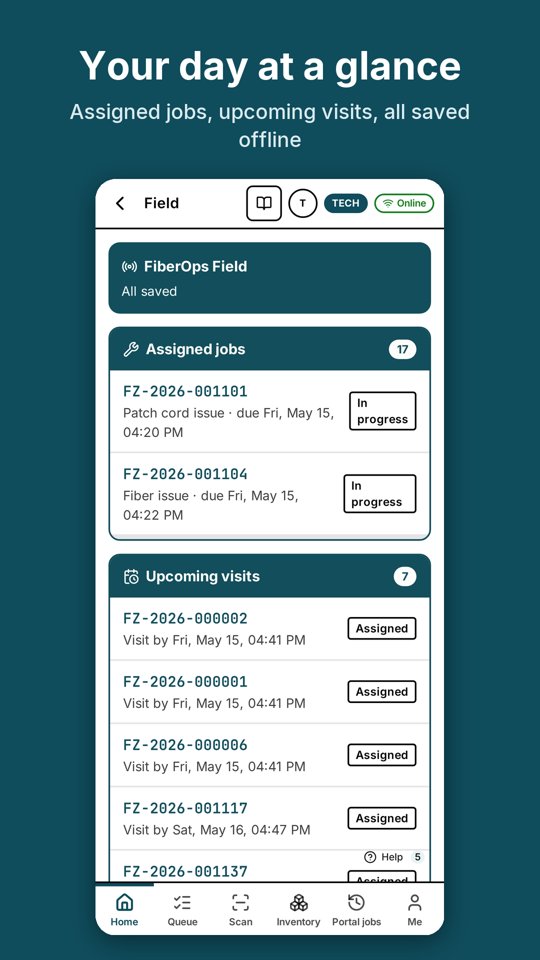
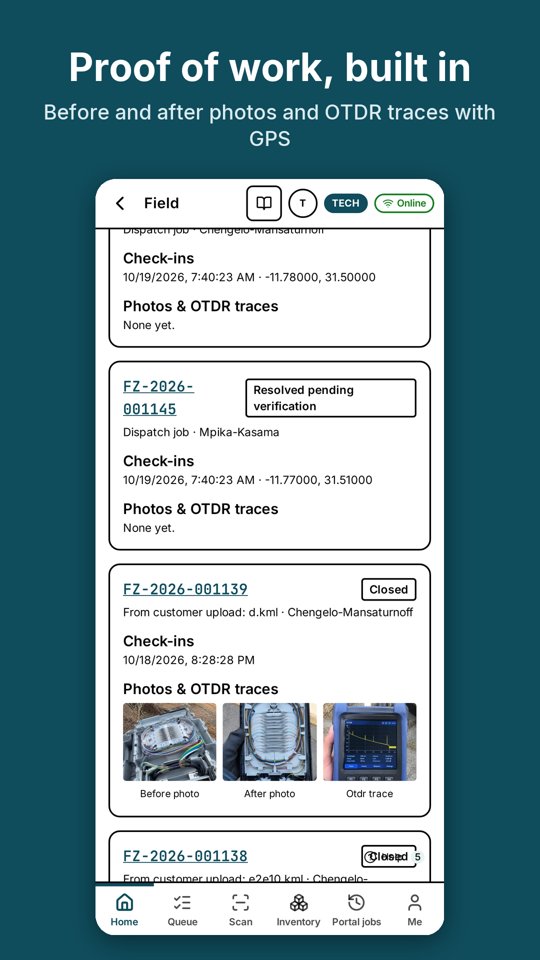
See your assigned repair jobs, check in on site, take before and after photos and OTDR traces, and close jobs, even with no signal.
- Assigned jobs, upcoming visits and completed history
- Works offline: check-ins and photos sync when you're back online
- Before and after photos and OTDR traces, stamped with time and place
- Scan equipment NFC tags (Android) or QR labels
- Upload map points from the field
Install it today
Android (Chrome): sign in, then tap Install app.
iPhone (Safari): sign in, tap Share, then Add to Home Screen.
FiberOps Supervisor
For area supervisors
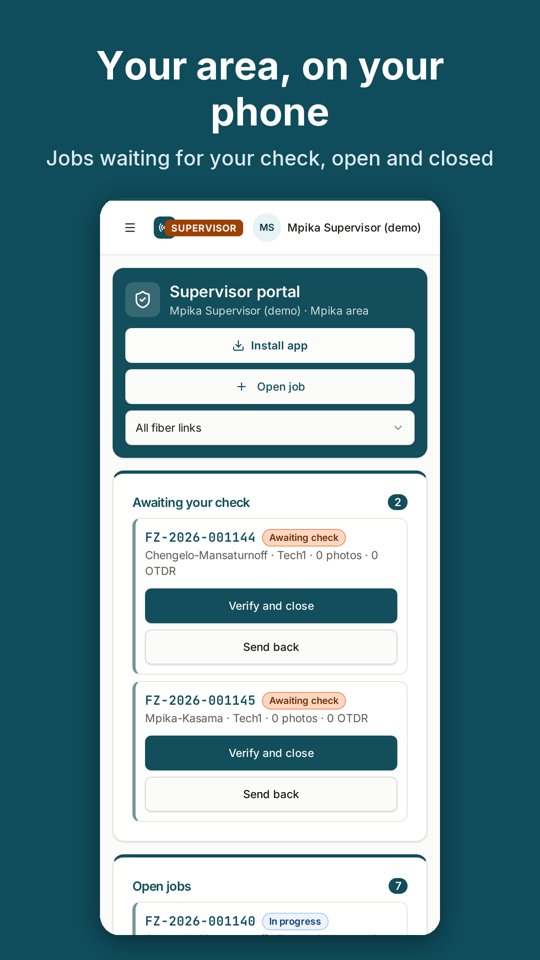
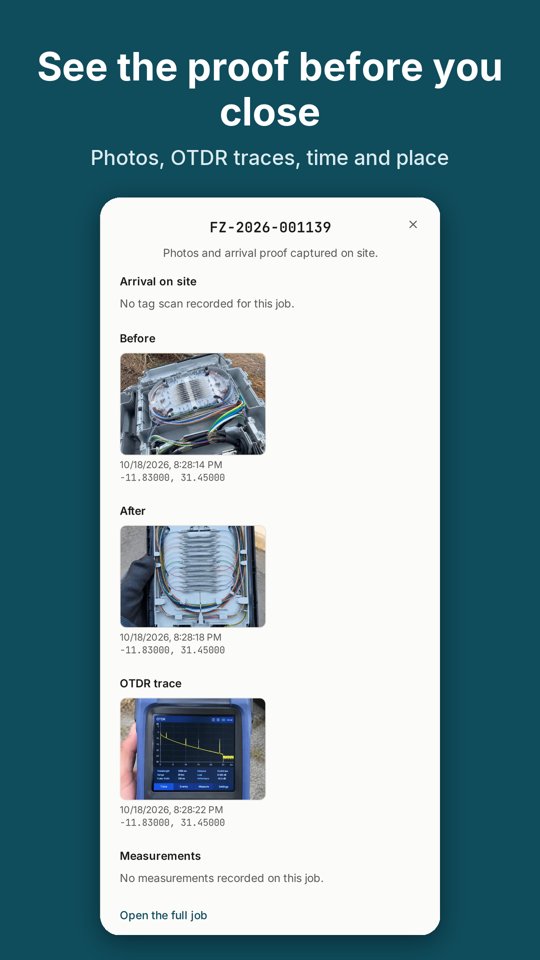
Review jobs in your area, check the proof of work, then close a job or send it back. Open new repair jobs and assign technicians from your phone.
- Jobs waiting for your check, open and recently closed
- Photos, OTDR traces and check-ins for every job
- Verify and close, or send back with one tap
- Open a repair job and assign a technician
Install it today
Android (Chrome): sign in, then tap Install app.
iPhone (Safari): sign in, tap Share, then Add to Home Screen.
For app reviewers
- Developer
- Ventio Solutions
- Support email
- info@ventiosolutions.com
- Privacy policy
- https://fullfiberops.online/privacy
- Who can sign in
- Staff accounts created by a FiberOps company admin. There is no public sign-up.
- Data the apps use
- Camera (repair photos and QR labels), precise location only at check-in and when taking a repair photo, NFC tag reads on Android, and work name and email. No ads, no tracking across apps, and no data is sold. Data saved on the phone for offline work is removed at sign-out.